
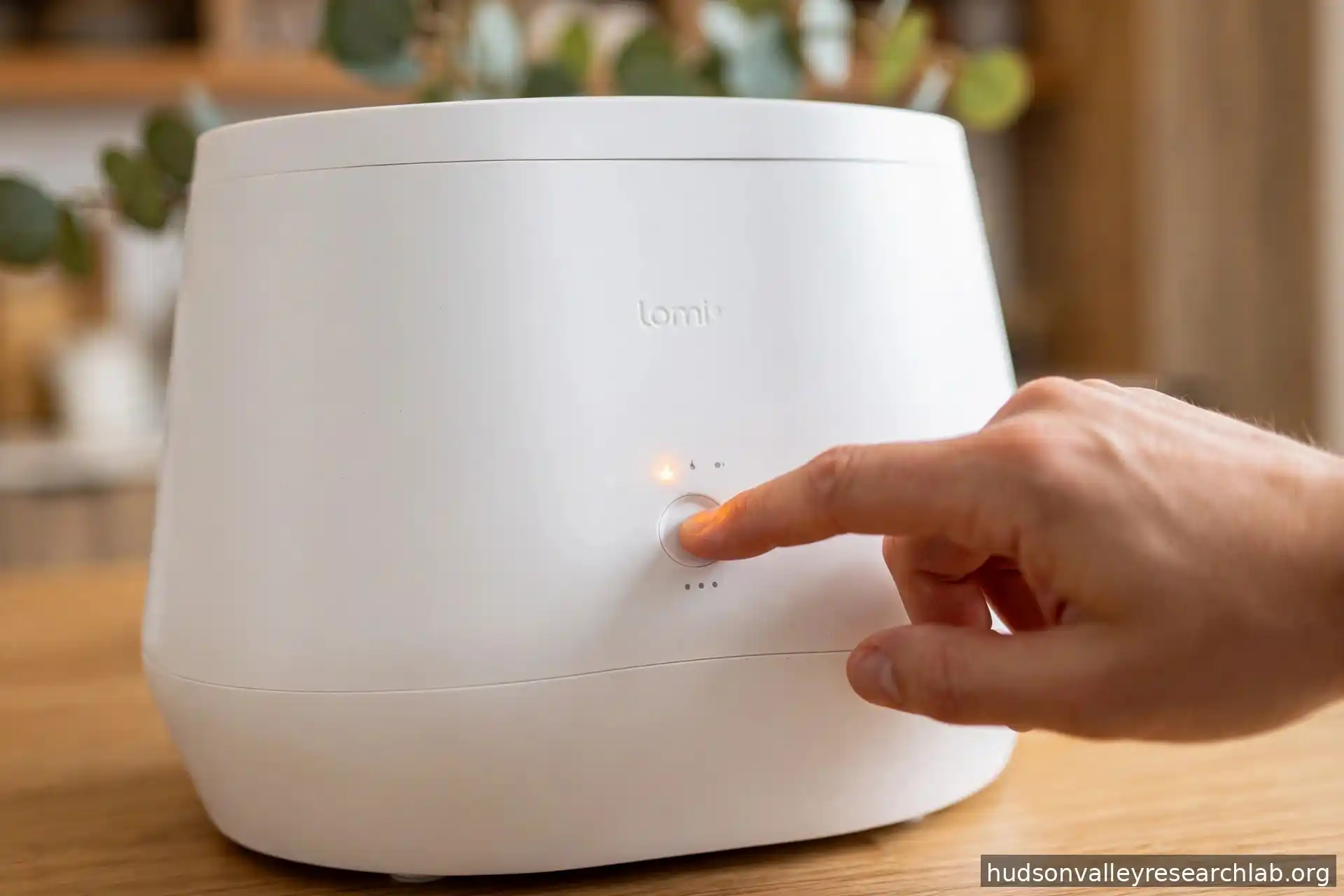
To reset a Lomi composter, use the procedure for your model: hold the main button for about 10 seconds on Lomi Classic or Bloom. On Lomi 3, hold Start for 5 seconds for supported error and filter resets, or 15 seconds for a factory reset.
A blinking light usually indicates a lid, grinder, fan, heating, or filter issue. Check the warning indicator first because resetting the machine will not clear a physical blockage or repair a faulty component.
Quick Answer: How Do You Reset a Lomi Composter?
The reset procedure depends on the model and the warning:
- Lomi Classic: Hold the main button for approximately 10 seconds. The original manual describes all lights flashing green followed by a beep as the reset confirmation.
- Lomi Bloom: Hold the main button for approximately 10 seconds for a standard reset. Its documented factory-reset procedure takes approximately 30 seconds.
- Lomi 3 hardware errors: Certain fan, heating, and motor-current errors use a 5-second soft reset.
- Lomi 3 filter reminder: After refilling the filter cartridge, hold Start for approximately 5 seconds to clear the reminder.
- Lomi 3 factory reset: Hold Start for approximately 15 seconds and wait for the reset confirmation.
A reset clears an error state; it does not remove food scraps trapped around the grinder or repair a damaged component. If the warning returns, follow the troubleshooting instructions for that specific issue.
If you smell burning plastic or electrical insulation, notice smoke, or feel abnormal heat around the unit, stop the cycle and unplug Lomi. Do not restart it just to see whether the warning disappears.
What Do the Blinking Lights on Lomi Mean?
Start with the warning indicator rather than trying every reset procedure. Classic and Bloom use separate Drying, Mixing, and Cooling indicators. Lomi 3 has a redesigned control panel with more specific warnings.
Lomi Classic and Bloom: Common Warning Indicators
| Light or warning | What it may indicate | What to check |
|---|
These indicators help narrow down the problem, but they do not identify a failed internal component by themselves.
Lomi 3: Different Indicators, Different Troubleshooting Steps
Lomi 3 uses a redesigned front control panel. Its warnings do not map directly to the Classic and Bloom Drying, Mixing, and Cooling lights.
| Lomi 3 indicator | What it means | Recommended action |
|---|
On Lomi 3, the grinder indicator can turn yellow when scraps become stuck. The grinder attempts to reverse automatically. If it cannot clear the blockage, the cycle pauses and the machine beeps.
For fan, heating, and no-motor-current warnings, the model-specific 5-second soft reset is different from the standard reset used on earlier models.
Lomi Classic vs Bloom vs Lomi 3: What Are the Differences?
The three generations have different filter arrangements, lids, controls, and troubleshooting procedures. Those differences matter when replacing carbon or responding to a warning.
| Feature | Lomi Classic (Lomi 1) | Lomi Bloom (Lomi 2) | Lomi 3 |
|---|
Lomi 3 has a 3-liter bucket and a smaller footprint than the previous generations. Its single rear filter cartridge also replaces the two-compartment arrangement used by Classic and Bloom.
The app is another important difference. Lomi’s current FAQ says remote control is available for Lomi 3 on iOS and Android with Lomi App version 3.1.0 or higher. Lomi 1 does not support remote-control features. App compatibility does not mean every physical warning can be cleared through the app.
Practical point: Check the model label before following a reset or replacement procedure. A filter cartridge or maintenance instruction for Lomi 3 should not automatically be applied to Classic or Bloom.
How to Perform a Standard Reset on Lomi Classic and Bloom
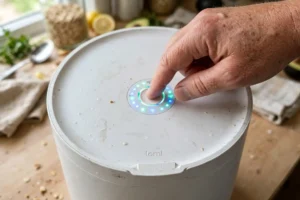
For the original Lomi Classic and Lomi Bloom, the standard reset takes approximately 10 seconds.
Step-by-Step Reset
- Check that the lid is closed and the bucket is correctly positioned.
- Make sure there are no signs of smoke, burning, excessive heat, or electrical damage.
- Press and hold the main button for approximately 10 seconds.
- Watch the indicator lights.
- Release the button when the machine confirms the reset.
- Wait for the unit to return to its ready state.
The manual for the original Lomi describes the confirmation as all lights flashing green followed by a beep. Meanwhile, the Bloom model uses an updated light sequence, where its documentation specifies a 10-second button hold followed by a beep and a blue light animation.
How Do You Know the Reset Worked?
Look for these signs:
- The machine responds normally to the main button.
- The previous warning indicator has cleared.
- The unit returns to its normal cycle-selection state.
If the same warning appears again when the machine starts operating, move to the troubleshooting section for that indicator rather than repeating the reset over and over.
How to Reset Lomi 3
Lomi 3 uses different reset times for hardware errors, filter reminders, and factory settings. These procedures are not interchangeable.
Reset a Fan, Heating, or No-Motor-Current Error
The Lomi 3 instructions specify a 5-second soft reset for certain hardware warnings.
- Identify whether the active indicator is Fan Error, Heating Error, or No Motor Current.
- Stop the cycle.
- Check for smoke, burning smells, abnormal heat, or visible damage.
- If there are no signs of immediate danger, press and hold the main button for approximately 5 seconds.
- Release the button after the beep.
- Check whether the warning clears.
If the same warning returns, use the model-specific troubleshooting instructions or contact Lomi support. A soft reset does not replace a failed fan, motor, or heating component.
Reset the Lomi 3 Filter Reminder
The filter reminder is separate from the hardware-error reset.
After the filter cartridge has been refilled:
- Turn off and unplug Lomi before handling the cartridge.
- Pull the refillable filter cartridge out from the back of the machine.
- Remove the cartridge lid.
- Empty the used activated carbon.
- Refill the cartridge with the appropriate Lomi carbon refill.
- Secure the cartridge lid and slide the cartridge back into place.
- Reconnect the unit.
- Press and hold the Start button for approximately 5 seconds to clear the filter indicator.
The important distinction is that the 5-second filter-reminder reset is not the same as the 5-second hardware-error reset, even though the button-hold time is similar.
If the filter reminder remains on, check that the cartridge is correctly installed and that you followed the procedure for your exact model. You can also check the Lomi App for filter information and reminders. Lomi currently documents app remote control for Lomi 3, but its public FAQ does not establish a separate app command that clears the physical filter indicator.
Do not change the button-hold time to 10 seconds based only on an unofficial video or an instruction for another model.
How to Factory Reset Lomi 3
A factory reset is different from a soft reset.
According to the Lomi 3 instructions:
- Press and hold the Start button for approximately 15 seconds.
- Wait for the machine to beep.
- Look for the white ring and reset animation.
- Release the button after the reset confirmation.
After a factory reset, you may need to reconnect Lomi to Wi-Fi and set up the app connection again.
Use this procedure only when a factory reset is appropriate, such as when troubleshooting a persistent connectivity problem. It is not a substitute for clearing a grinder obstruction or replacing a faulty module.
How to Fix an All-Lights-Flashing Red Warning on Classic or Bloom
On the Lomi Classic and Bloom, flashing red lights across all cycle indicators can mean the lid or the inner metal bucket is not seated correctly. Check both parts instead of focusing on the lid alone.
Try the following:
- Remove the lid and make sure the metal bucket sits flat inside the unit.
- Check that the bottom of the bucket is properly aligned with the drive coupling underneath.
- Press the bucket down gently and check how it sits. It should rest flat and securely. If it rocks, wobbles, or sits unevenly, it may not be properly aligned with the coupling.
- Refit the lid securely.
- Press the button to resume or restart the cycle, as appropriate.
Do not force the bucket down if it does not sit correctly. Remove it, check for debris around the seating area, and try again.
If the lights continue flashing after both parts are correctly positioned, consult Lomi support.
Lomi 3 is different: Its open-lid indicator uses a separate ring warning. Close the hinged lid and press Start to resume the paused cycle.
How to Fix a Lomi Mixing Error or Grinder Jam
A Mixing error on Classic or Bloom, or a grinder-jam indicator on Lomi 3, can mean that food scraps are preventing the grinder from turning normally.
What Can Cause a Grinder Jam?
Common causes include:
- Large hard bones.
- Hard fruit pits.
- Tough shells.
- Long fibrous stems.
- Food scraps packed tightly around the grinding mechanism.
- Overfilled buckets or compacted food waste.
Lomi 3 attempts to reverse the grinder automatically when scraps become stuck. If the obstruction remains, the cycle pauses and the machine displays a warning.
What Sounds Are Normal During a Cycle?
Lomi’s official FAQ confirms that occasional cracking, grinding, and creaking sounds can be normal, particularly when the machine processes tougher materials such as coffee grounds, eggshells, and dry or fibrous scraps.
You may hear these materials shift and break down inside the bucket. A brief change in sound does not automatically mean the grinder is jammed. Lomi also notes that a higher-pitched creak can occur when material is temporarily stuck.
The more useful warning sign is a combination of persistent difficulty turning, a paused cycle, and an active grinder-jam indicator. Do not diagnose a jam from sound alone.
Safe Grinder-Jam Troubleshooting
- Stop the cycle and unplug Lomi.
- Wait until the bucket has cooled.
- Remove the bucket from the machine.
- Inspect the visible grinding area.
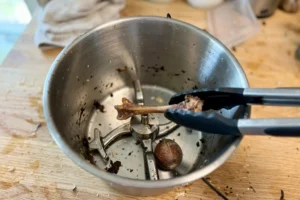
- Remove accessible food debris using suitable kitchen tongs or protective gloves.
Practical tip: If chicken bones or other hard scraps are wedged around the grinding area, use silicone-tipped kitchen tongs to gently remove accessible pieces. Avoid using a metal spoon to pry against the grinding mechanism. Never put your fingers near the blade.
- Check for remaining hard objects or long fibrous scraps.
- Clean the bucket according to the manufacturer’s instructions.
- Dry the exterior and bottom of the bucket before reinstalling it.
If the bucket does not sit flat after cleaning, remove it and check the seating area again. Do not force it into place.
If the grinder remains stuck, do not attempt to rotate an inaccessible motor shaft. If the warning returns after accessible debris has been removed, use the appropriate support or replacement procedure for your model.
How to Fix a Lomi Cooling or Fan Error
A Cooling warning on Classic or Bloom, or a Fan Error on Lomi 3, means the machine has detected a cooling-related issue. Start with accessible checks before considering a repair.
Check Ventilation Clearance
Move objects away from the ventilation openings.
Make sure the machine is not pushed tightly against a wall or surrounded by items that restrict airflow.
For Lomi 3, place the unit on a dry, flat, stable surface and follow the clearance instructions in its user manual. Avoid blocking the ventilation areas with kitchen items, cloth, or stored accessories.
Inspect the Accessible Filter Areas
Unplug the unit before handling the filter compartments. Regarding the Classic and Bloom models, check the accessible filter compartments for spilled carbon or visible debris. If you own a Lomi 3, remove the rear refillable cartridge according to the manual and inspect the cartridge opening for loose carbon. Avoid yanking or twisting the cartridge sideways if it feels difficult to pull out.
Could Carbon Dust Cause a Cooling Error?
Activated-carbon dust can leave fine black residue around the filter area. If loose material reaches an internal airflow component, it may contribute to contamination or restricted airflow.
However, carbon dust is only one possible cause. A failed fan, wiring issue, blocked airflow path, or another internal fault can produce a similar warning.
If the warning returns after checking accessible areas, follow the support or service instructions for your model.
Lomi 3: Official Fan Module Replacement
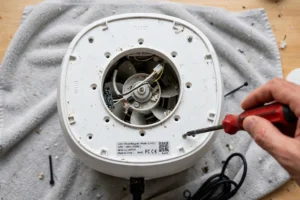
Lomi 3 has an official modular replacement process. Lomi publishes instructions for replacing the Fan Module, Lid Module, and Motor Module.
The official fan-replacement guide specifies the following general process:
- Unplug the unit.
- Remove the rear charcoal filter.
- Close the lid and place the unit upside down on a towel or tablecloth.
- Use a Phillips #2 (PH2) screwdriver to loosen the eight screws securing the maintenance cover.
- Locate the fan module and disconnect its connector by pulling the connector head, not the wires.
- Remove the two screws securing the fan module.
- Lift out the old module and position the replacement.
- Align the screws, reconnect the fan connector, and reinstall the maintenance cover.
- Follow the guide’s instructions for the 5-second soft reset after replacement.
The manufacturer cautions that part replacement can result in injury or damage if performed incorrectly. Read the full instructions before starting, use the specified replacement part, and contact Lomi if you are unsure about any step.
Important: This modular replacement guide is specific to Lomi 3. Do not assume the same maintenance-cover procedure applies to Classic or Bloom.
Official guide: https://lomi.com/pages/lomi-3-modular-component-replacement
What If the Lomi Drying or Heating Light Keeps Flashing Red?
A persistent Drying warning on Classic or Bloom, or a Heating Error on Lomi 3, suggests that the machine has detected a heating-system problem.
Possible causes include:
- A heating-element fault.
- A temperature-sensor problem.
- A related control-circuit issue.
For Classic and Bloom, follow the standard reset instructions only when there are no signs of overheating or electrical damage.
For Lomi 3, the documented soft-reset procedure for a Heating Error uses a 5-second button hold.
Burning Smell vs Normal Food Odor
A food recycler can produce food-related odors while processing scraps, and the carbon filter is designed to reduce odors released into the kitchen.
A sharp burning-plastic or electrical smell is different from an ordinary food-waste odor. If you notice smoke, a persistent hot-plastic smell, or signs of electrical overheating, stop the cycle and unplug the unit.
Do not continue running Lomi to see whether the smell clears. Contact Lomi support and explain when the smell appeared and which warning light was active.
Do not bypass a temperature sensor, bridge a relay, or test exposed heating connections without qualified service guidance.
How to Replace and Reset the Lomi Filter Light
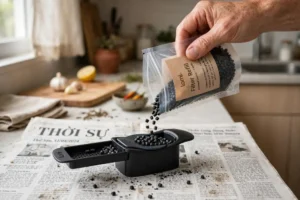
The filter arrangement differs between the three generations. Before opening a filter compartment, switch off and unplug the unit and allow it to cool.
Lomi Classic and Bloom: Two Filter Compartments
The original Lomi and Bloom use two activated-carbon filter compartments.
Follow the model-specific instructions to remove and refill both filters.
Work over a trash bag or newspaper when handling loose carbon. Fine black particles can spread across the counter and leave dark residue on the surface.
Practical tip: Place an old newspaper or disposable sheet underneath the filter compartments before opening them. This gives loose carbon somewhere to fall and makes cleanup easier.
After replacing the carbon, use the separate filter-reset procedure described in the relevant manual. For Bloom, the documented procedure specifies holding the button for approximately 10 seconds after refilling both filters.
Lomi 3: One Rear Slide-Out Filter Cartridge
Lomi 3 uses one refillable cartridge at the back of the machine.
To replace the carbon:
- Turn off and unplug Lomi.
- Allow the unit to cool.
- Pull the refillable cartridge out from the back.
- Remove the cartridge lid.
- Empty the used carbon pellets.
- Refill the cartridge with the appropriate Lomi Filter Refill.
- Replace and secure the cartridge lid.
- Slide the cartridge back into the machine.
- Reconnect the unit and hold Start for approximately 5 seconds to clear the filter reminder.
Lomi recommends replacing filters regularly. Its current filter product information recommends replacement every three months or after 45 cycles, with the app available to help track filter changes.
Do not confuse the filter reminder with a fan, heating, or motor-current error. They may use similar button-hold times, but they are different procedures.
Why Does a Lomi Warning Return After Reset?
If the same warning comes back, use the indicator and the point in the cycle when it appears to narrow down the problem.
- The lid warning returns immediately: Check lid position, bucket seating, and whether the bucket rocks or sits unevenly.
- The Mixing or grinder-jam warning returns during grinding: Look for remaining hard or fibrous scraps around the accessible grinding area.
- The Cooling or Fan Error returns during operation: Check accessible ventilation areas and the filter compartment. On Lomi 3, consult the official Fan Module replacement guide.
- The Drying or Heating Error returns during the heating stage: Stop the cycle and seek further diagnosis.
- The Filter light stays on after replacing carbon: Check cartridge installation and repeat the correct filter-reset procedure for your model.
- The Wi-Fi warning returns on Lomi 3: Check app pairing and the network connection before considering a factory reset.
A recurring warning is a reason to investigate the affected system, not to keep repeating the same reset.
When Should You Contact Lomi Support?
Some problems can be resolved through routine maintenance, such as removing accessible food debris, reseating the bucket, or replacing activated carbon. Other problems need a replacement part or further diagnosis.
Contact Lomi support if:
- The Drying or Heating warning continues after the recommended reset.
- The Cooling or Fan Error returns after accessible checks.
- The Mixing or grinder-jam warning persists after visible obstructions have been removed.
- The grinder makes unusual or persistent noises and will not operate normally.
- The lid, bucket, or locking mechanism appears damaged.
- The machine produces smoke or a persistent burning-plastic or electrical smell.
- A replacement module procedure is unclear or the connector or mounting points appear damaged.
Which Repairs Can You Do at Home?
Lomi 3 has official modular replacement instructions for three components:
- Fan Module: The official guide explains how to access the maintenance cover, disconnect the fan connector, and replace the module.
- Lid Module: The guide explains how to remove the hinge cover and replace the lid assembly.
- Motor Module: The guide explains how to access the motor, disconnect its connector, and replace the module.
These are manufacturer-published procedures, not permission to improvise repairs. Follow the exact instructions for the component being replaced, use the specified tools and replacement parts, and keep the machine unplugged during the work.
Lomi states that it is not liable for injuries or damage that may result from replacing a part or following the instructions. If you are not comfortable with the procedure, contact support before opening the maintenance cover.
Official replacement instructions: https://lomi.com/pages/lomi-3-modular-component-replacement
For Classic and Bloom, do not apply the Lomi 3 maintenance-cover procedure unless Lomi provides instructions for the specific model.
What Information Should You Prepare Before Contacting Support?
Having these details ready can make troubleshooting easier:
- Your Lomi model: Classic, Bloom, or Lomi 3.
- Serial number: Use the identification label on your machine.
- Warning indicator: Drying, Mixing, Cooling, Filter, Fan Error, Heating Error, Grinder Jam, or another indicator.
- Beep pattern: Note whether the machine beeps three times or produces another sound.
- When the warning appears: Immediately after startup, during grinding, during heating, or during cooling.
- Troubleshooting attempted: Include whether you reset the unit, checked the lid, reseated the bucket, removed accessible debris, or replaced the carbon filters.
A short video showing the indicator and the sound can also help support understand what is happening.
For assistance, visit the official Lomi support website: https://lomi.com/pages/faq
Frequently Asked Questions
It depends on the model. Lomi Classic and Bloom use an approximately 10-second standard reset. Lomi 3 uses 5-second soft resets for certain hardware errors and its filter reminder. Its factory reset takes approximately 15 seconds.
The approximately 30-second factory-reset procedure is documented for Lomi Bloom. Lomi 3 uses a 15-second factory reset. Follow the instructions for your exact model rather than using one model’s procedure on another.
How do I reset the Lomi 3 filter light?
After refilling and reinstalling the rear filter cartridge, press and hold Start for approximately 5 seconds. If the indicator stays on, check the cartridge installation and the model-specific instructions. You can also check the Lomi App for filter information and reminders, but the current public FAQ does not document an app command that directly clears the physical filter indicator.
Why is my Lomi blinking red and beeping three times?
On the original Lomi, three beeps with a flashing red Drying, Mixing, or Cooling indicator can point to a heating, grinder, or ventilation problem, respectively. Lomi 3 uses different indicators, so identify the icon before choosing a troubleshooting procedure.
Why are all the Lomi lights flashing red?
On Classic or Bloom, check both the lid and the inner metal bucket. Make sure the bucket sits flat and that its bottom is aligned with the drive coupling. On Lomi 3, look for the separate open-lid indicator and close the hinged lid before pressing Start to resume.
Can I use Lomi if the Cooling light or Fan Error is flashing?
Do not continue running Lomi with a persistent cooling or fan fault. Check accessible airflow areas and the filter compartment. For Lomi 3, consult the official Fan Module replacement instructions or contact support if the warning remains.
Does resetting Lomi fix a grinder jam?
No. A reset does not remove food scraps or hard objects caught in the grinding mechanism. Unplug the machine, allow it to cool, remove the bucket, and inspect the accessible grinding area. Use suitable tongs to remove accessible debris without touching the blade.
Is it normal for Lomi to make cracking or grinding noises?
Yes. Lomi’s official FAQ says occasional cracking, grinding, and creaking can occur when processing tougher materials such as coffee grounds, eggshells, and dry or fibrous scraps. Persistent difficulty turning combined with a grinder-jam warning needs attention.
How often should I replace Lomi carbon filters?
Lomi currently recommends replacing its filters every three months or after 45 cycles. Actual odor-control performance can vary depending on the types of food scraps processed and how frequently the machine runs. Use the filter guidance for your model.
Why does my Lomi Filter light stay red after replacing the carbon?
The Filter indicator may remain on until you complete the separate filter-reminder reset. Check that the cartridge or filter compartments are correctly installed and follow the reset instructions for your model.
Can I replace the Lomi 3 fan myself?
Lomi publishes an official Fan Module replacement guide for Lomi 3. It specifies a Phillips #2 screwdriver and explains how to unplug the machine, remove the maintenance cover, disconnect the fan connector, and install the replacement. Follow the complete official guide and contact Lomi if you are unsure about the repair.
Does a Lomi factory reset fix hardware problems?
A factory reset can restore certain settings or help with connectivity issues, but it does not physically repair a damaged fan, heating element, motor, or drive coupling. Lomi 3 has official replacement instructions for certain modules, including the fan, lid, and motor.
Final Verdict: Match the Reset to the Lomi Model and Warning
Lomi Classic and Bloom use a standard 10-second reset, while Lomi 3 has separate procedures for hardware warnings, filter reminders, and factory settings. The filter designs also differ: Classic and Bloom use two activated-carbon compartments, while Lomi 3 uses one refillable rear cartridge.
For a grinder warning, inspect accessible debris after unplugging and cooling the machine. For a filter reminder, refill the correct filter and follow its separate reset procedure. For a persistent Lomi 3 fan or motor problem, check the manufacturer’s modular replacement instructions rather than assuming the unit cannot be serviced at home.
The most useful troubleshooting step is identifying the warning and following the procedure for that exact model. That helps avoid unnecessary resets and makes it easier to decide when routine maintenance, a replacement module, or support is neede